From your 360° camera to a tour on your website
Take one photo in each room, turn each one into a 360° photo in your camera’s app, and upload them here. Then design the tour, put it online and share it.
Cameras that work
Any 360° camera that makes a 360° photo works, and there are many. These are three of the most popular, with what each one’s own software is called.
- Pocket-sized and quick
Insta360 X5 or X6
Popular, light and easy to carry from room to room. Each photo is saved as an .insp file that only Insta360’s software reads.
Then: Export it as a 360° JPEG from the Insta360 app on your phone, or from Insta360 Studio on a computer.
- Large sensor, bright windows
DJI Osmo 360
Its large sensor keeps detail both in a bright window and in a dark corner. Photos are up to 15,520 × 7,760 pixels, which Panoramr takes.
Then: Export the 360° photo from the DJI Mimo app on your phone, or from DJI Studio on a computer.
- Made for photos of rooms
Ricoh Theta X or Z1
Long used by estate agents for still photos of homes and buildings. The camera joins the two lenses’ pictures itself.
Then: Each photo is a 360° JPEG straight away. Copy it to your phone with the RICOH THETA app, or to a computer with a cable.
There are many other 360° cameras, and they work the same way: take the shot, export a 360° JPEG, upload it. These are examples, not a recommendation: Panoramr has no link with these makers.
Taking the photos
One press takes the whole room: every wall, the ceiling and the floor. A few habits make the tour look professional.
- 1
One spot per place
Take one photo for each place a visitor should be able to stand, and for the ways between them: the entrance, a corridor, the stairs.
- 2
Tripod in the middle
Put the camera on a tripod or a light stand near the middle of the room, at about eye height, and keep it level. Use the same height in every room.
- 3
Keep things at arm’s length
Keep the camera at least a metre from furniture and walls. Where the two lenses’ pictures meet, something very close can look broken.
- 4
Light and tidy
Turn the lights on, open the blinds and the doors between rooms, and tidy away what you would not want a guest to see.
- 5
Use the photo and HDR modes
Choose the camera’s photo mode, not video. In a room with bright windows its HDR mode keeps both the view and the room.
- 6
Step out of sight
The camera sees all the way round, behind it too. Take the shot from the camera’s app on your phone, from the next room, or with its timer.
Turn each shot into a 360° photo
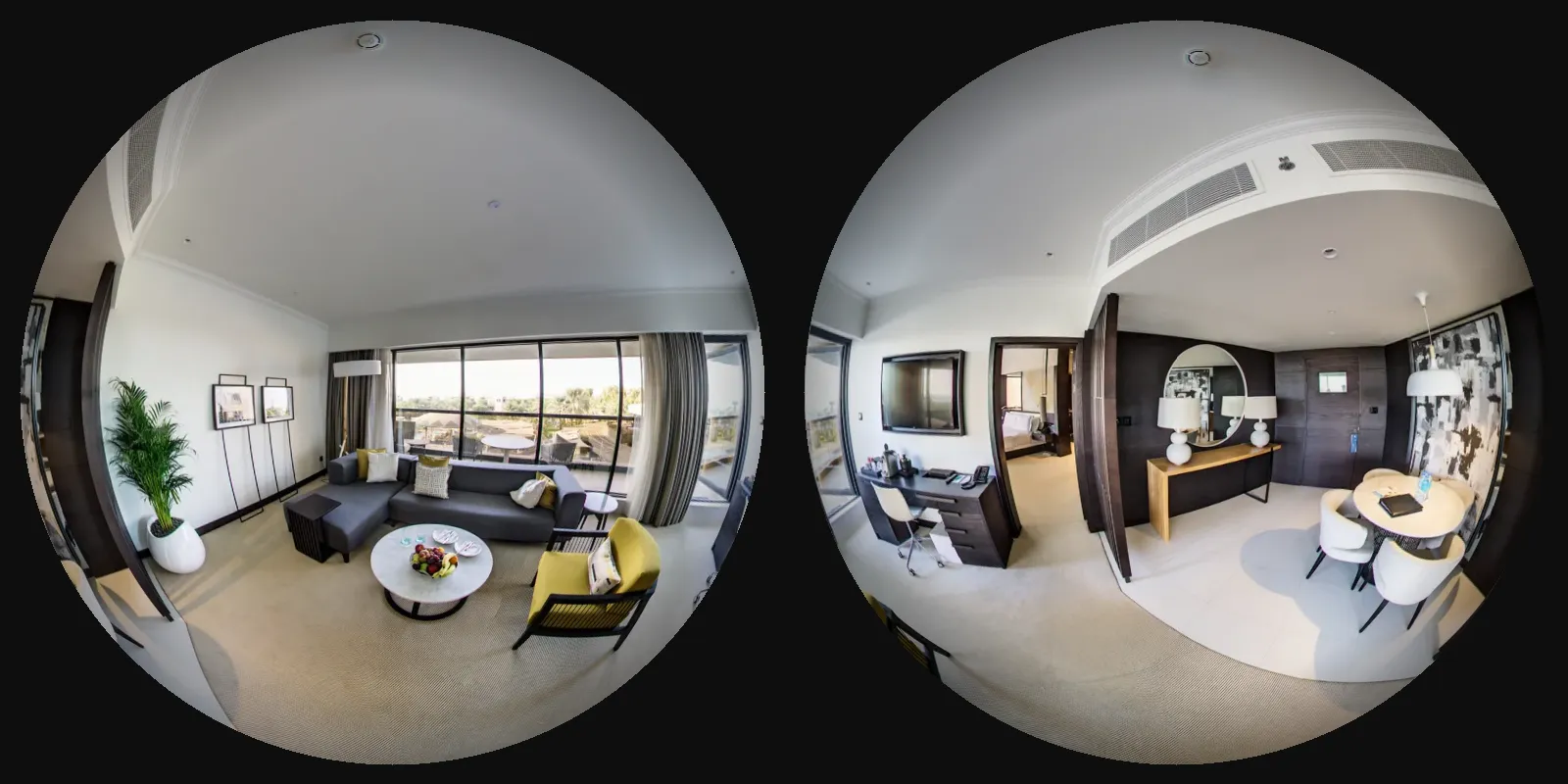
A 360° camera has two lenses, back to back. Each shot is two round pictures, and the camera’s software joins them into one 360° photo. That photo is what you upload.
- 1
Copy the photos off the camera
With the camera’s app on your phone, over its Wi-Fi, or to a computer with a cable or its memory card.
- 2
Open them in the camera’s own software
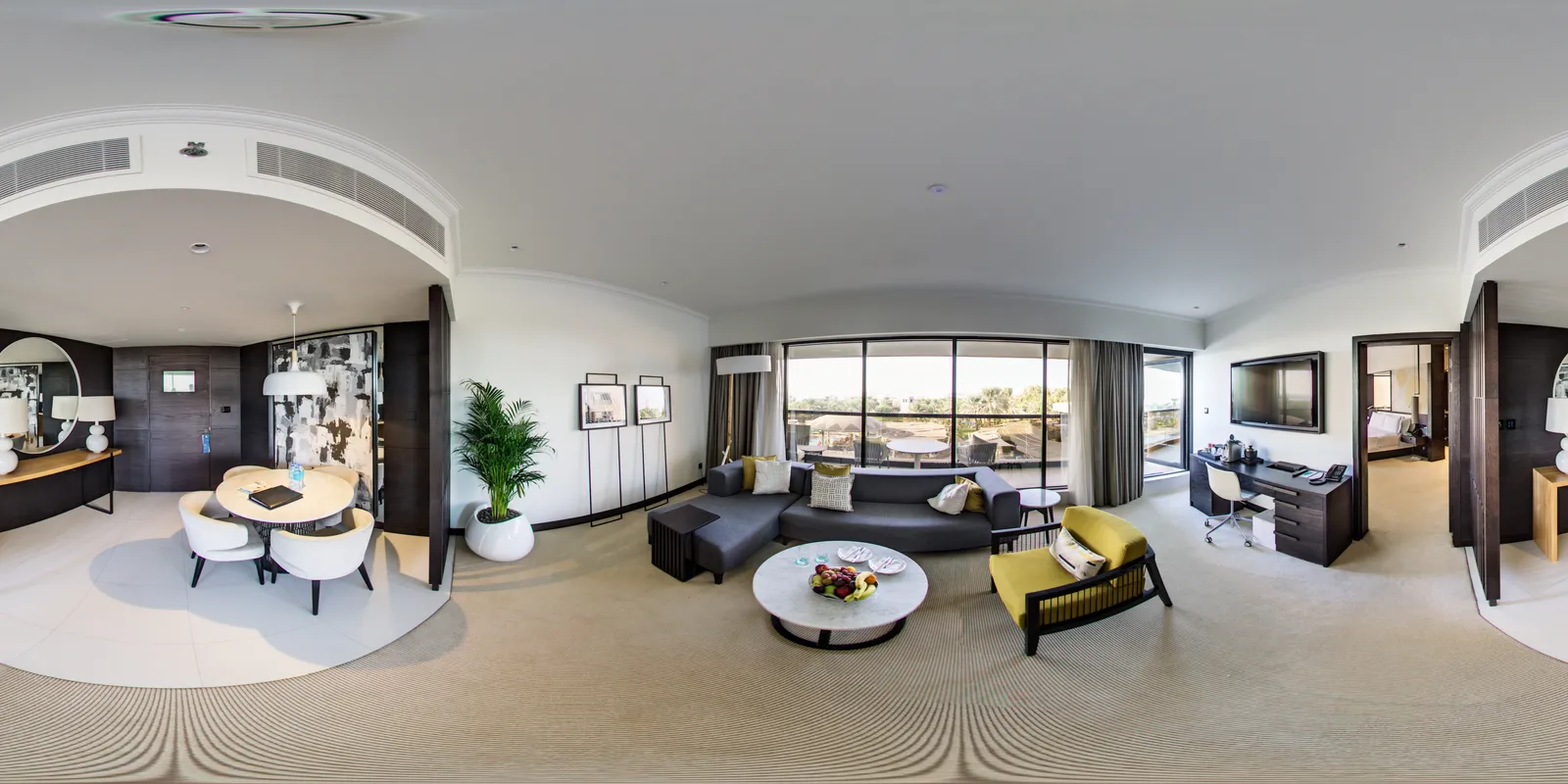
The app or desktop program from the same maker, as listed with each camera above. It joins (stitches) the two lenses’ pictures into one.
- 3
Export each one as a 360° photo
Choose 360° or equirectangular, not a flat or reframed view, as a JPEG at the largest size it offers.
- 4
Check the file
It should be exactly twice as wide as it is tall, and look like a stretched world map, with the floor along the bottom.
Files that do not work
- A flat or reframed picture (16:9 or 4:3): it is not 2:1, so it is left out
- Two round pictures side by side: they may upload, but the tour looks wrong until they are joined
- The camera’s own file (Insta360’s .insp, or a raw .dng): export a JPEG from its software first
- PNG, WebP or HEIC: export as JPEG instead
- A still from a 360° video: export a photo, not a frame
Upload them here, and build the tour
Check your exported photos against these four things, then drop them into Create Tour.
Format
JPEG or TIFF files.
Shape
Exactly twice as wide as it is tall (2:1), such as 8192 × 4096 pixels.
Size
Up to 23,000 × 11,500 pixels. Files of 250 MB or less work best: a larger one takes longer and needs a recent computer with plenty of memory.
How many
Up to 20 to try it with no account, 250 on a free account. One tour can hold them all.
Every rule: Photo requirements
How the tour is made
- 1
Upload your 360° photos
Open Create Tour, give the tour a name and drop your photos in. No sign-up and no card. They are prepared in your browser, and the tour uploads by itself when they are ready.
- 2
Design it
Choose a theme, then make it yours: colours, menus, buttons and the look of each hotspot. Choose where visitors start looking in each room.
- 3
Link the rooms
Add hotspots so visitors can walk from one room to the next, and add text, pictures, video or a floor plan where they help.
- 4
Keep it
Create a free account and the tour is yours. A guest tour is deleted after 2 days.
- 5
Put it online
Publish it free with Panoramr’s branding, or buy a Vault for it to take the branding off.
- 6
Share it
Paste its embed code into your website, and send its link by email or post it on social media.
Free, or with your own branding
Every tour can go online free. Hosting it takes Panoramr’s branding off and lets visitors see your own design in any theme.A Vault costs from £19 a year.
What hosting costs, for one tour or a chain: Sharing it with your customers
Ways to share it
On your own website
Copy the embed code from the tour’s Publish tab and paste it into your page. It works with WordPress, Squarespace, Wix and most other sites.
How to embed a tourBy its link
Send the tour’s address by email, put it in a booking confirmation or a newsletter, or post it on social media.
On Explore
Panoramr’s gallery of tours, with buttons to share yours on X, Facebook, LinkedIn and by email. A free tour is always listed there; a hosted one only if you want.
Only with your team
Keep it private while you work on it, and invite colleagues or your web designer to view or edit it with you.
Questions
Which camera should I buy?
Any 360° camera that saves, or exports, a JPEG twice as wide as it is tall. For a few rooms a pocket camera is plenty; for rooms with big bright windows, a larger sensor helps. The cameras on this page are examples: Panoramr has no link with their makers.
Can I use my phone instead?
Not its panorama mode: that picture does not go all the way round. A phone with a 360° photo app can make one, usually at a lower quality than a 360° camera.
Panoramr left my photo out. Why?
Usually it is not a 2:1 JPEG yet: export it again from the camera’s software as a 360° (equirectangular) photo. The upload window says why it left a file out.
Will the tripod show?
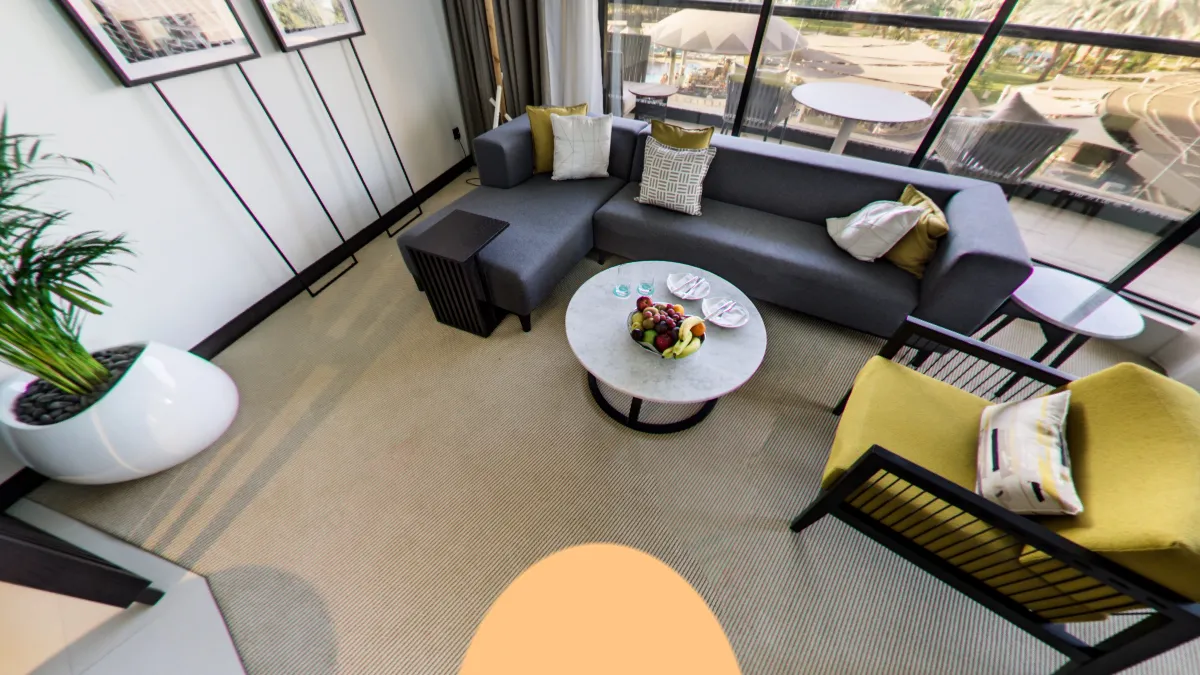
It shows at the bottom of each photo, and the tour covers it with a round patch. A free tour has Panoramr’s badge there; in a Vault it can be your own logo.
Can I reshoot a room later?
Yes. Replace the photo and the tour keeps the hotspots on it, so a refit is one new shot.
I would rather somebody else took the photos
Hire a Creator lists 360° photographers. Some build the whole tour in Panoramr and hand it over to you. Find a photographer
Photos taken? Make the tour
Upload them now, free, with no sign-up. You pay only to take the branding off.