Feature

See who visits, and keep the tour fresh

Every tour counts its visitors, by day, by country and by room. Change it whenever you like, and choose when visitors see the changes.

In short

Each Panoramr tour has an Analytics tab with its unique views, the views day by day, its most-viewed rooms and the countries of visits to its Explore page. Global Analytics adds up all your tours. A visitor counts once an hour for each tour, and search bots and link previews are not counted. To change a live tour without visitors seeing half-finished work, switch on Draft Workflows and publish when you are ready; to update one room, replace its photo and keep its hotspots.

Counted
Unique views, countries, days and the most-viewed rooms
Not counted
Search bots, link previews and your own previews in the editor
All tours
Global Analytics adds them up and ranks your top ten
Plans
Every account; the free trial has no Analytics tab

Numbers you can trust, changes when you choose

What the numbers show

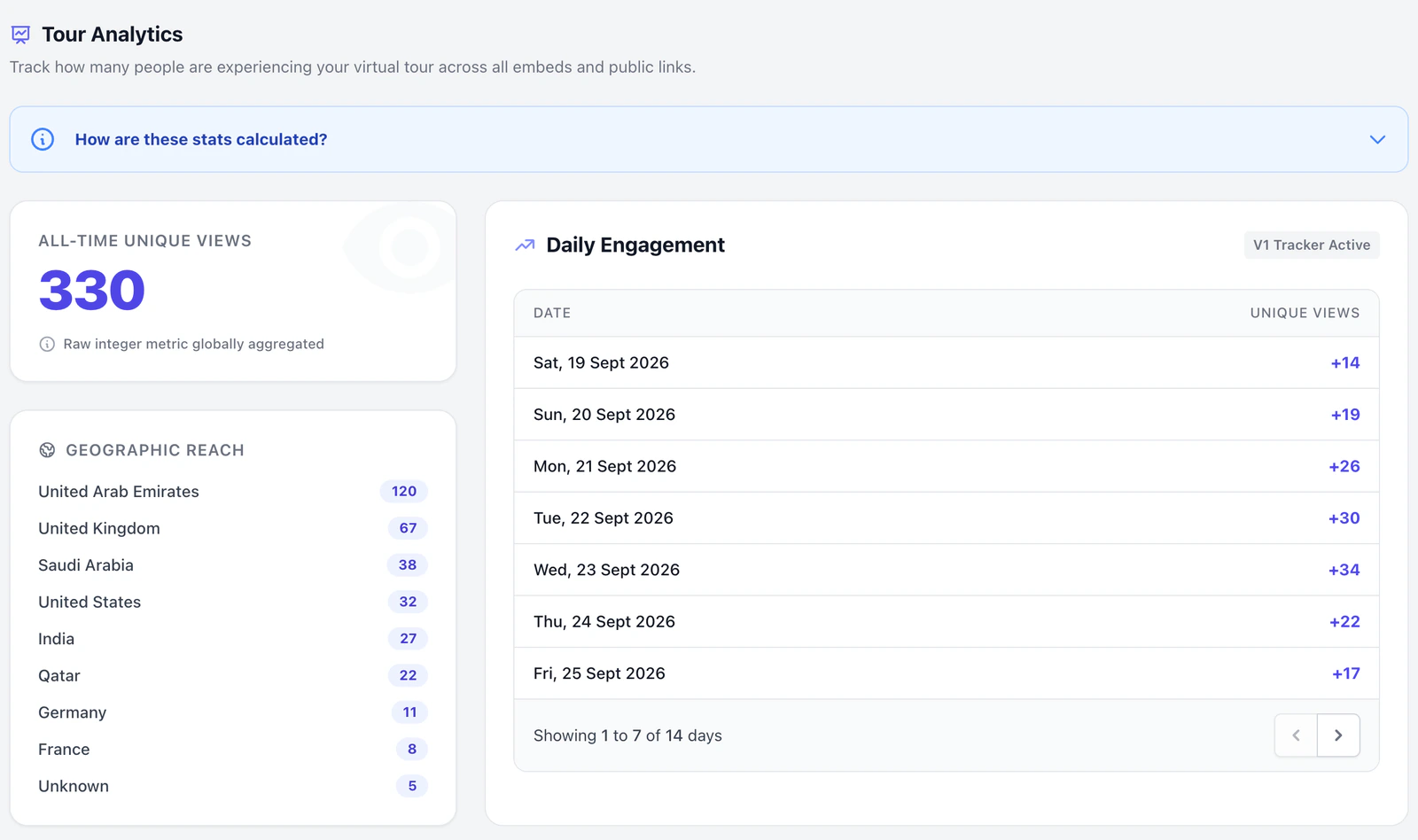
The Analytics tab shows the tour’s all-time unique views, one row for each day that had a view, and its rooms ranked by views. A visit through your own website’s embed counts like any other. Countries are recorded for visits to the tour’s Explore page.

Tour analytics
What they leave out

The analytics keep counts, not people. They record no time spent, hotspot clicks, devices, browsers or where visitors came from, and the tour loads no Google Analytics code.

Edit without visitors seeing

With Draft Workflows on, visitors keep the version you last published while you keep editing. Click Publish Changes when it is ready, and they see the new version.

Draft Workflows

Reshoot one room

After a refit or a change of season, replace a room’s photo with a new file. Its hotspots and links stay where they were.

Replace a photo
The Tour Analytics page: all-time unique views, the countries in Geographic Reach, and Daily Engagement with a row for each day
The Analytics tab of a demo tour, with sample numbers.

One page per tour

Open a tour’s Analytics tab to see its numbers, or Global Analytics for all your tours together.

  • All-time unique views
  • Countries of Explore visits, most views first
  • Views by day, and the rooms people look at most

The features behind it

  • Visitor numbers

    Each tour’s Analytics tab counts its unique visitors, and Global Analytics adds up all your tours. Search engines’ robots are not counted.

    How it works
  • Edit without visitors seeing

    With Draft Workflows on, visitors keep the version you last published while you keep editing, until you click Publish Changes.

    How it works
  • Reshoot one room

    After a refit, replace that room’s photo: its hotspots and links stay where they were.

    How it works

See every feature

Questions

Can I connect Google Analytics?

No. A tour has no Google Analytics setting and loads no Google Analytics code. The Analytics tab is where Panoramr shows a tour’s visits.

Are search engines’ robots counted?

No. Visits from search bots, link previews, monitors and scripts are left out, and so are views from the editor’s Preview tab.

Can I see who viewed my tour?

No. The analytics keep counts by day, country and room, and nothing about the person.

Does a view on my website count?

Yes. A visit through an embed on your website counts as a view of the tour.

Can I change a tour after it is live?

Yes, at any time. With Draft Workflows on, visitors keep the published version until you click Publish Changes.

See how your tour does

Make the tour free, share it, and watch the views come in.

Start creating