Add a language and translate
Add the language under Tour Languages on the Settings tab, choose it in the Editing list, and type the translation of each room name, note and description, room by room.
Make a tour in several languagesAdd a language, type your translations, and visitors switch with the globe button in the player. The words are yours, not a machine’s.
A Panoramr tour can be shown in English and five more languages: Spanish, French, German, Chinese and Arabic. You add a language on the tour’s Settings tab and type the translation of each room name, note and description. Visitors choose a language with the globe button in the player, or you link straight to one by adding ?lang= to the address. You can translate on any plan; visitors see the translations when the tour’s owner is on a paid plan or the tour is hosted.
Add the language under Tour Languages on the Settings tab, choose it in the Editing list, and type the translation of each room name, note and description, room by room.
Make a tour in several languagesThe globe button lists the tour’s languages. A tour opens in English until a visitor picks another: the player does not guess from the visitor’s browser. To send someone straight to a language, add ?lang= and the language’s code to the tour’s address or embed code.
The player’s own button names, the labels of the top menu bar and other text typed on the Design tab are not translated. The pictures, sound, video and web addresses of an information hotspot, and a product’s price, are the same in every language.
Switch on the Accessibility Line and visitors can open a plain text version of the tour: each room’s name, description, links and notes. Keyboard users can move between hotspots with the Tab key, and a device set to reduce motion gets instant cuts between rooms.
Accessibility settings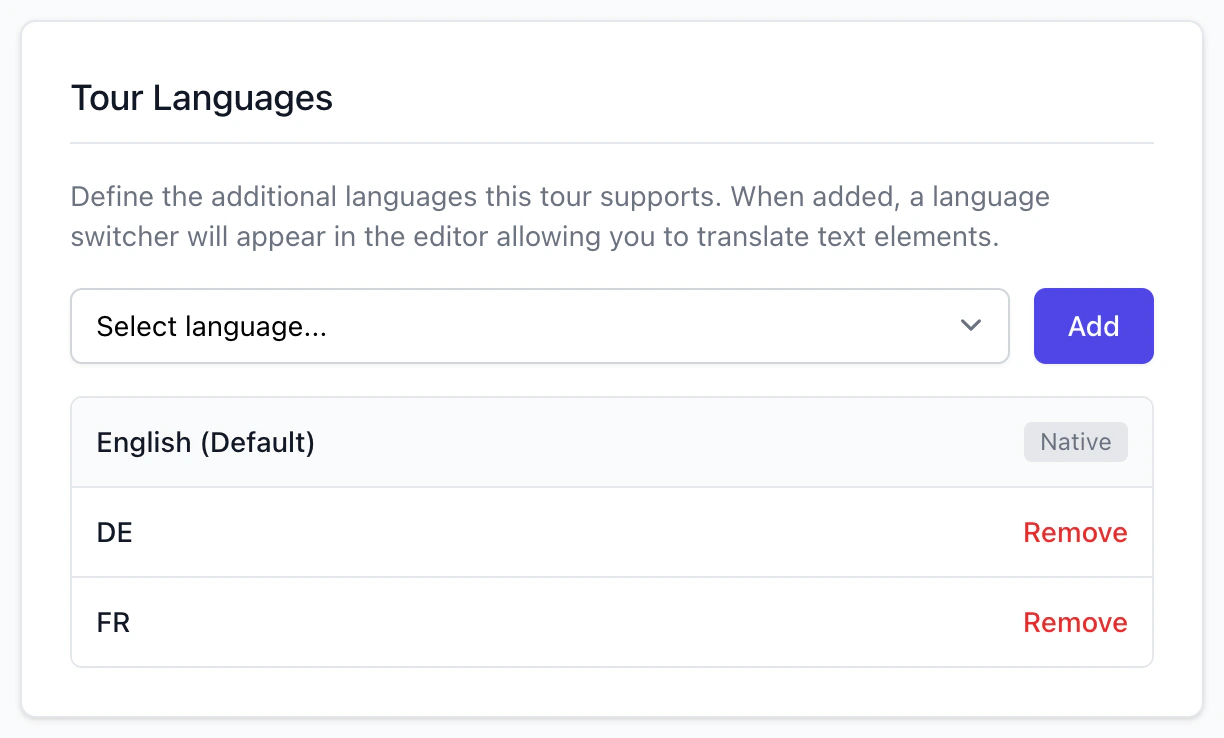
Each language you add gets its own copy of the tour’s text, which you fill in room by room.
Translate the tour into Spanish, French, German, Chinese or Arabic. Visitors switch with one click on a paid plan or a hosted tour.
How it worksSwitch on the Accessibility Line and visitors can open a plain text version: each room’s name, description, links and info text.
How it worksSpanish, French, German, Chinese and Arabic, as well as English.
No. You type each translation, so the words are your own.
Any plan can add languages and type the translations, and see them in the editor and the preview. Visitors get them when the tour’s owner is on a paid plan or the tour is hosted; until then they see English.
Yes. Add ?lang= and the language’s code to the tour’s address or to the embed code, such as ?lang=de for German.
The Accessibility Line gives visitors a plain text version of the tour, keyboard users can Tab to hotspots, and reduced motion is respected. We have not tested the player with a screen reader, so we do not claim that a tour meets an accessibility standard.
Make the tour free and add your translations. Visitors see them on a paid plan or a hosted tour.