Feature

Your tour on your website, in one paste

Copy one code from the tour’s Publish tab and paste it into your page. The tour plays there, on phones and computers, and visitors never leave your site.

In short

To put a Panoramr tour on a website, copy the Web Embed Code from the tour’s Publish tab and paste it into any block that accepts HTML, in WordPress, Wix, Squarespace or any other site. Every plan can embed a published tour. A tour that is not hosted carries Panoramr’s branding; a hosted tour carries none. You can also send the tour’s link, list it on Panoramr’s Explore page, or keep it private to you and the people you invite.

Works on
WordPress, Wix, Squarespace and any page that accepts HTML
Size
As wide as its space on your page; 600 pixels tall, or the height you set
Who can open it
Private, anyone with the link, or listed on Explore
Without our branding
From £36 a year, in a Vault of up to 36 photos

Four ways to show a tour

On your own website

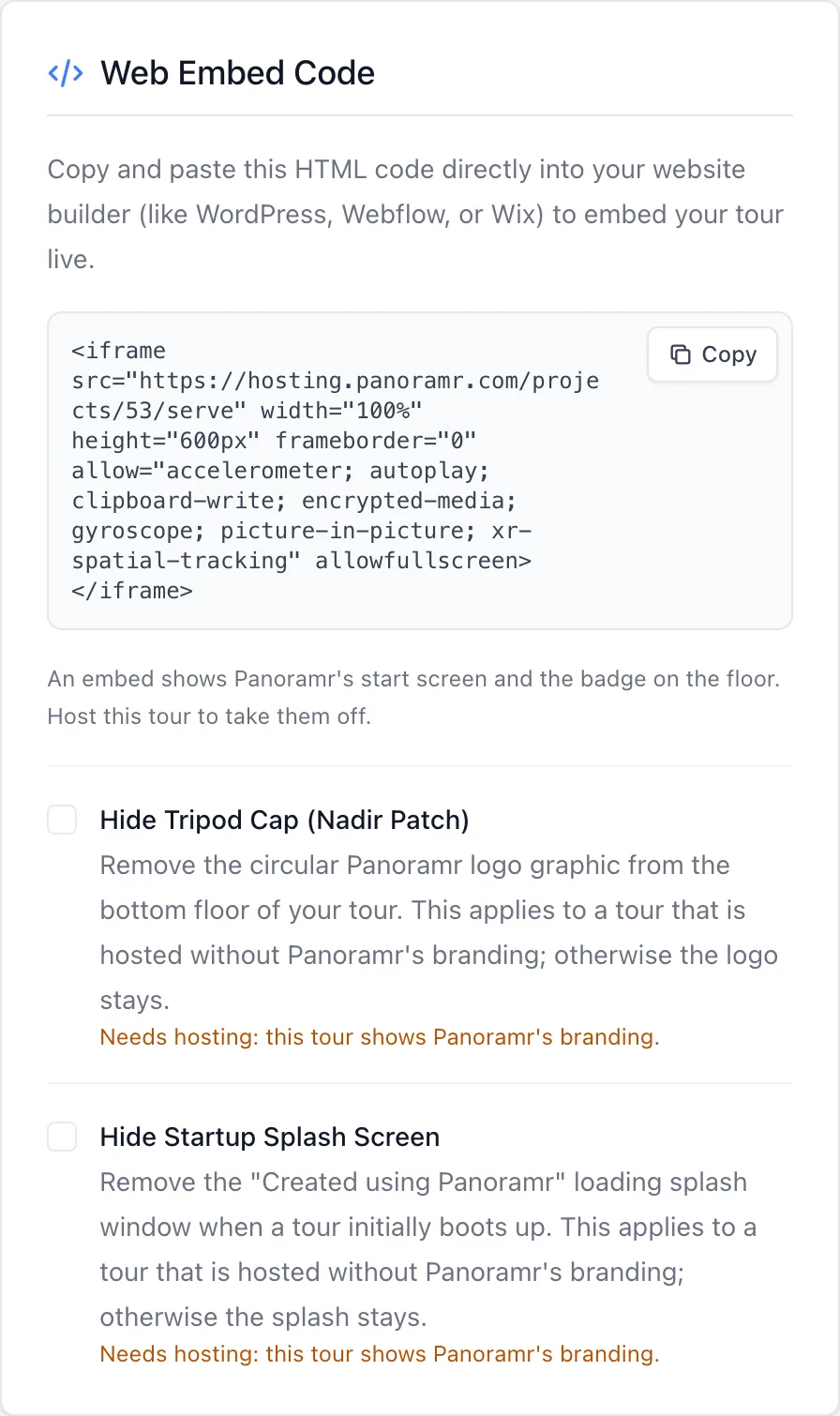
Paste the embed code into a block that accepts HTML. The frame fills the width your page gives it and is 600 pixels tall, which you can change in the code. A hosted tour can also hide the tripod patch and the start screen from there.

Embed a tour
By its link

Send the tour’s address by email, in a message or in a social post. Anyone with the link opens the tour in their browser, with nothing to install.

Share a tour

On Panoramr’s Explore page

List the tour on Explore, where people browse tours by kind of place. Any account can do it, with Panoramr’s branding.

See Explore

On a screen in reception

Switch on Autorotate on Idle and the view turns slowly by itself in every room, stopping when someone touches it and starting again a few seconds later.

Autorotate for displays
The Publish tab with the Web Embed Code box and its copy button
The embed code on the Publish tab of a demo tour.

Copy, paste, done

The code is ready on the Publish tab. Paste it into your page builder’s HTML or embed block and publish your page.

  • One code for any website builder
  • Plays on phones, tablets and computers
  • Opens in another language with ?lang= in the address

The features behind it

  • On your own website

    Paste the embed code into WordPress, Squarespace, Wix or any web page. The tour plays there, and visitors never leave your site.

    How it works
  • Private, or by link only

    A hosted tour can stay private to you and the people you invite, or open to anyone with its link and kept off Explore.

    How it works
  • Turns by itself on a screen

    Autorotate on Idle turns the view slowly while nobody touches it, which suits a screen in a reception or a shop window.

    How it works

See every feature

Questions

Can I embed a tour on the free plan?

Yes. Every plan can embed a published tour. Until the tour is hosted it carries Panoramr’s start screen and badge; hosting it removes both and costs from £36 a year, in a Vault of up to 36 photos.

Will it work on WordPress, Wix and Squarespace?

Yes. Paste the embed code into a block or element that accepts HTML; a website builder may call it Custom HTML, Code or Embed. The same code works on any other page that accepts HTML.

Can I protect a tour with a password?

No, Panoramr has no passwords. A private tour opens only for you and the people you invite; a published tour opens for anyone who has its address.

Can the tour have my own web address?

The tour is served from Panoramr’s address. On your website it plays inside your own page, under your own address.

Does a visit on my website count in the analytics?

Yes. A visit through an embed counts as a view on the tour’s Analytics tab.

Is there a kiosk mode?

There is no kiosk mode or tour that walks itself from room to room. Autorotate on Idle turns the view slowly in each room, which suits a screen in a reception or a shop window.

Put a tour on your website

Make the tour free, copy one code, and paste it into your page.

Start creating