Themes
A theme copies a complete look into the tour in one click. It is a starting point: change anything afterwards, and undo back to an earlier version if you change your mind.
Apply a themeStart from a ready-made theme, then make it yours: colours, font, menus, hotspots and icons. Save the design and use it on every tour, with your own logo instead of ours.
Every Panoramr tour has a design, set on its Design tab. You apply a theme, which copies a whole look into the tour, and keep changing it: colours, font, the glass effect, the menus and bars, the hotspots and their icons. On a paid plan you save the result under My Designs and apply it to your other tours. A hosted tour drops Panoramr’s start screen and badge, and can show your logo instead.
A theme copies a complete look into the tour in one click. It is a starting point: change anything afterwards, and undo back to an earlier version if you change your mind.
Apply a themeSet the tour’s colours, font and glass effect, and choose what the top bar, the bottom bar, the gallery of rooms and the phone menu show.
The menus and barsStyle every hotspot of a tour at once: their look, size, hover effect and animation. An icon pack sets the colours and the hotspot icons in one click, and you can upload your own icons.
Hotspot looks and presetsOn a paid plan, save a finished design under a name and apply it to your other tours, up to 100 at a time. Each tour keeps its previous design in its own undo history.
A hosted tour shows no Panoramr start screen or badge. Add your own logo and words to the round patch that covers the tripod on the floor of every room.
Add your own branding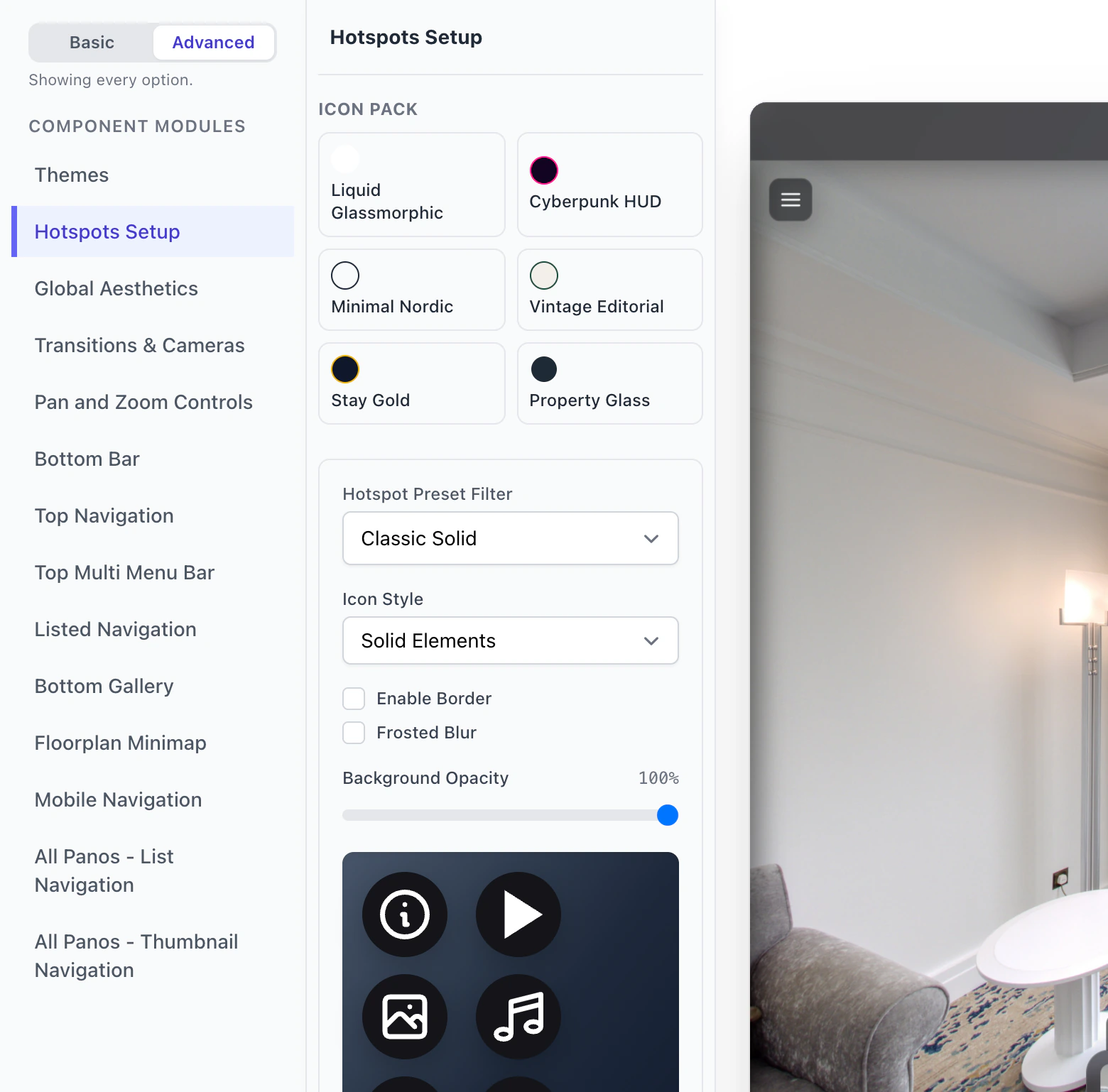
Hotspots Setup on the Design tab styles all the hotspots of a tour together, so a change of colour or icon reaches every room at once.
Start from a theme and make it yours. On a paid plan, save the design under My Designs and use it on every tour.
How it worksStyle every hotspot of a tour at once, choose a ready-made look, and upload your own icons to the Design Hub’s icon library.
How it worksA hosted tour shows no Panoramr start screen or logo, and can carry your own logo and words on the patch over the tripod.
How it worksPaid plans download a tour as a ZIP website in your own design, to put on your own web server.
How it worksOne plan hosts all your clients’ tours, in your design or theirs, with your logo or theirs on every tour.
Hosting for professionalsWhat each plan adds, from Pro themes for visitors to My Designs and downloads in your own design.
PricingYes. A hosted tour shows no Panoramr start screen or badge, and can carry your own logo on the patch over the tripod. Hosting costs from £36 a year, in a Vault of up to 36 photos.
You can apply and preview every theme free. Visitors see a Pro theme when the tour’s owner is on a paid plan or the tour is hosted; otherwise they see the free Default look.
On a paid plan, save it under My Designs and apply it to your other tours, up to 100 at a time. You can keep 50 designs.
Yes. Upload your own icons to your icon library and use them for the tour’s hotspots.
No. A theme is a look: colours, font, menus and hotspot style. Your photos, hotspots, text, logos and room order stay as they are.
Try every theme free, in your own colours. You pay only to host the tour without our branding.