How to make a 360° virtual tour, step by step
How to make a 360° virtual tour: plan the shots, take the 360° photos, build and link the tour, add notes and a floor plan, then put it on your website.
By Ben Kenyon, Founder of PanoramrUpdated 4 min read
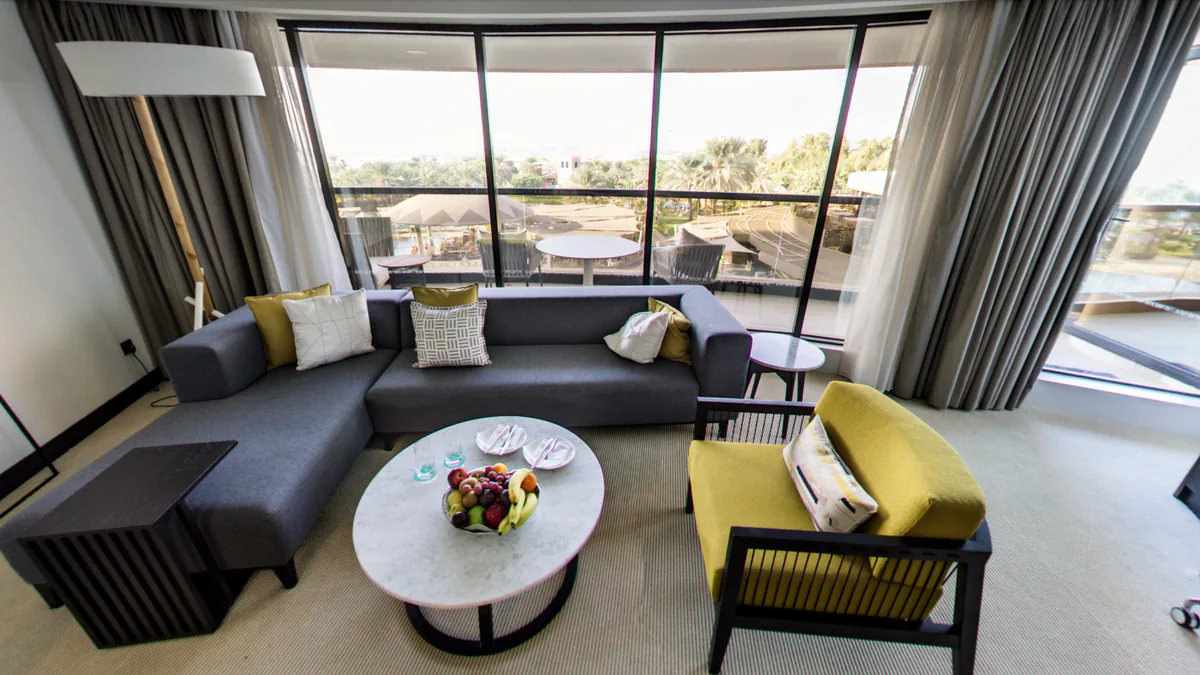
In short
To make a 360° virtual tour, take one 360° photo in each place a visitor would stand, export each one as an equirectangular JPEG, and upload them to a tour maker such as Panoramr. Link the rooms so visitors can walk between them, add notes, video and a floor plan, choose a design, and publish the tour by its link or with an embed code on your website. Making the tour in Panoramr is free.
What you need
A 360° virtual tour is a set of 360° photos, linked so a visitor can walk from one room to the next. To make one you need three things:
- 360° photos of the place: one for each spot a visitor would stand. A 360° camera takes each one in a single press. If you would rather not take them yourself, a 360° photographer can (find one near you).
- A tripod or a light stand, so every photo is level and taken from the same height.
- A tour maker that links the photos, adds your notes and design, and puts the tour online. This guide uses Panoramr, which runs in the browser and is free to try.
1. Plan the route
Walk through the place as a visitor would and list where they would stop: the entrance, each room, and the ways between them, such as a hall, the stairs or a corridor. Each stop is one photo. A small flat might need eight, a hotel twenty to forty.
Think about where each room should open, too. A visitor arriving in a bedroom wants to see the bed and the window, not the back of the door.
2. Take the 360° photos
Put the camera on its tripod near the middle of each room, at about eye height, and keep it level. Turn the lights on, open the blinds, tidy up, and take the shot from the camera’s phone app so you are not in the picture. How to take 360° photos for a virtual tour goes through each habit in detail.
3. Export each one as a 360° photo
Most 360° cameras save their own file format. Open the photos in the camera maker’s app or desktop program and export each one as a 360° (equirectangular) JPEG at the largest size it offers. The file should be exactly twice as wide as it is tall, and look like a stretched map of the room. That is the file a tour maker takes. Panoramr also takes TIFF files and six cube faces (photo requirements).
4. Upload the photos and build the tour
In Panoramr, open Create Tour and drop the photos into the window. They are prepared in your browser and uploaded as a new tour. You can try it without an account, and keep the tour by creating a free one, which holds 250 panoramas.
5. Link the rooms
On the Hotspots tab, add a link hotspot in each room where a door or a doorway is, and choose the room it leads to. Visitors then click to walk through the place in the order they would on foot. You can choose which way they face as they arrive.
6. Add notes, video and a floor plan
This is what turns a set of photos into a tour people use:
- Information hotspots open a note, a picture, a video or a sound right where it matters: the room rate on the bed, the menu on the board.
- Surface media puts a picture or a video onto a screen or a wall inside the photo.
- A floor plan shows a small map with a pin for each room and a cone that turns as the visitor looks round.
The interactive hotspots and floor plans pages show what each one does.
7. Choose the design
On the Design tab, apply a theme and change its colours, font and menus until the tour looks like your brand. Every theme is free to try.
8. Publish it and put it on your website
When it is ready, publish the tour. Visitors open it by its link, and the embed code from the Publish tab puts it on your own website, in WordPress, Wix, Squarespace or any page that accepts HTML. A free account can publish 10 tours with Panoramr’s branding; hosting a tour without our branding is part of the Pro plan, at £99 a year.
Questions
How many photos does a virtual tour need?
One for each place a visitor would stand, and for the ways between rooms. A small flat usually needs eight to twelve, a house fifteen to twenty-five, and a hotel twenty to forty.
Can I make a virtual tour with my phone?
Not with the phone’s panorama mode: that picture does not go all the way round, up and down. A 360° camera, or a photographer with one, gives you photos a tour maker can use.
How long does it take to make a virtual tour?
Taking the photos takes a minute or two per room once the camera is set up. Building a simple tour in Panoramr, from upload to a linked tour with a design, can be done in an afternoon.
Is it free to make a virtual tour?
Making a tour in Panoramr is free, and a free account can publish 10 tours with Panoramr’s branding. You pay only to host a tour without our branding, from £99 a year on the Pro plan.