How to make a virtual tour for a hotel
How a hotel makes a 360° virtual tour: the rooms and spaces to shoot, setting them up, grouping by floor, a Book Now button and putting it on your website.
By Ben Kenyon, Founder of PanoramrUpdated 4 min read
In short
To make a virtual tour for a hotel, take one 360° photo for each place a guest would stand: each room type from just inside the door, the best suites' bathrooms and balconies, the lobby, restaurant, spa and function rooms. Shoot the rooms made up and lit with the curtains open, upload the photos to a tour maker such as Panoramr, group the rooms by floor or wing, add a Book Now button to your booking engine and embed the tour on your website. A hotel usually needs 20 to 40 photos.
What a tour does for a hotel
A guest choosing a hotel asks "what is the room really like?" A 360° tour on your own website answers it: they look out of the window, into the bathroom and across the lobby before they book, and arrive knowing what they booked. Because the tour plays on your own website beside your booking engine, the booking stays with you.
You need a 360° camera on a tripod, or a 360° photographer (Panoramr's Hire a Creator directory lists them), and a tour maker. This guide uses Panoramr, which runs in the browser and is free to make tours with.
What to photograph
One 360° photo for each place a guest would stand:
- the entrance and the approach from the car park
- reception and the lobby
- each room type, from just inside the door
- the best suites' bathrooms and balconies
- the view from a high floor or the terrace
- the restaurant, the bar and the breakfast room
- the spa, the pool, the sauna and the gym
- the meeting and function rooms, laid out for an event
- the gardens, terraces and the wedding lawn
- the corridors that link the wings
A hotel usually needs 20 to 40 photos, and a resort with grounds more. Start with the rooms guests book most and add the rest later. The hotels page has the same list.
Shoot the hotel
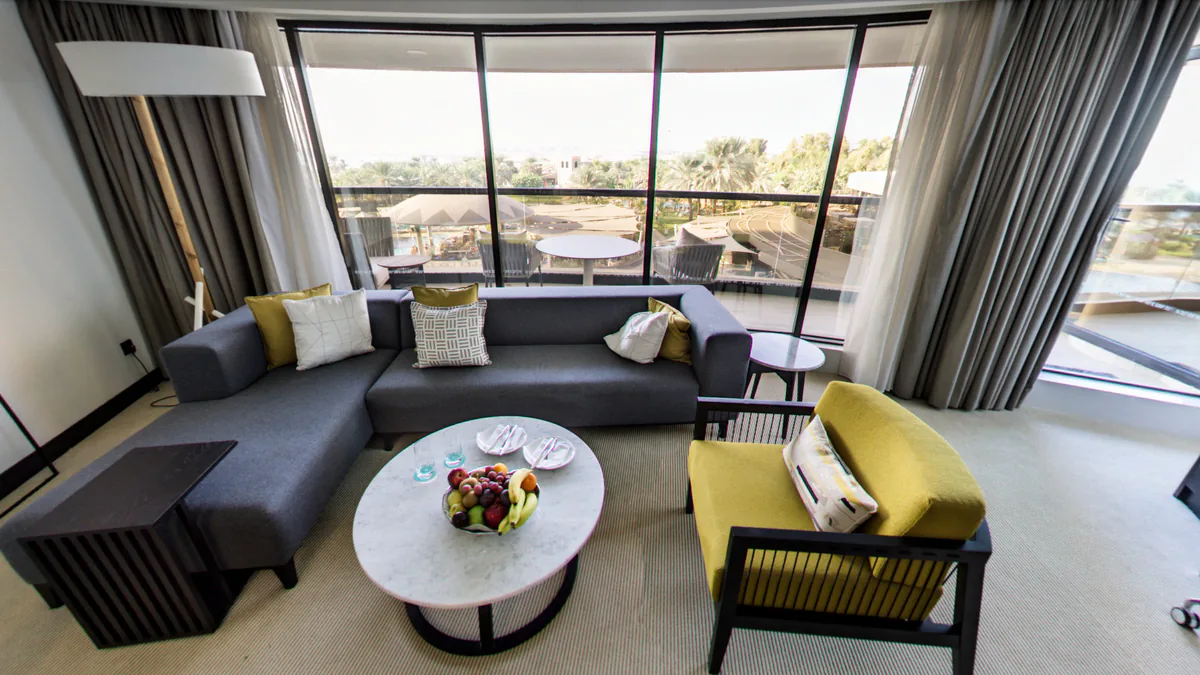
- Rooms made up and lit, with the curtains open. Beds made, towels folded, lamps on, nothing personal on show.
- Camera in the doorway or the middle of the room, at about eye height. For a hotel room, a spot just inside the door shows the bed and the window together. Keep the camera level and at least a metre from furniture and walls.
- Stay out of the photo. Fire the camera from its phone app from the corridor.
- Use HDR where there are bright windows. A bedroom with a daylight view is the hardest shot; most 360° cameras have an HDR or bracketed mode for it. How to choose a 360° camera compares nine.
- Shoot a room type once. Rooms of the same type look the same, so one photo each is enough; photograph the rooms that differ.
How to take 360° photos for a virtual tour goes into the camera height, the light and the shot itself.
Build the tour
- Export each photo as a 360° JPEG, twice as wide as it is tall, and upload them in Panoramr: click Create Tour and drop them in.
- Link the spaces, so a guest walks from the lobby to a suite as they would on arrival.
- Group the rooms into floors, wings or the spa, so a guest goes straight to the suites or the pool (panorama groups).
- Open each room on its best side: the bed and the window, not the wardrobe.
- Add a Book Now button. A button in the top menu, or a link in each room, sends guests to your booking engine (buttons). The tour has no booking form of its own.
- Translate for guests from abroad. The room names and notes can be shown in Spanish, French, German, Chinese, Arabic or Hebrew, and a guest switches with one click (multilingual tours).
Put it online and keep it current
Copy the embed code from the tour's Publish tab and paste it into your website's page, in WordPress, Squarespace, Wix or any other site that takes HTML (embed a tour). The tour works on phones, tablets and computers.
After a refurbishment, replace the photos of the rooms that changed. The tour keeps its hotspots and links, so one new shot updates the room (replace a photo).
What it costs
Making and previewing a tour is free. To host it with your own branding, a Vault for up to 36 panoramas is £36 for a year, £70 for three or £99 for five; for up to 100 panoramas it is £59, £109 or £149. A group of hotels can host every property together on a plan: Pro is £99 a year for 250 panoramas online at once. How much a virtual tour costs sets out the camera and the other routes.
Questions
How many 360° photos does a hotel tour need?
One for each place a guest would stand: usually 20 to 40 for a hotel, more for a resort with grounds. Start with the rooms guests book most and add the rest later.
Can guests book from inside the tour?
They can click through to your booking page from a button in the top menu or a link in a room. The tour has no booking form of its own, so the booking stays in your booking engine.
Can I put the tour on my own website?
Yes. Copy the embed code from the tour's Publish tab and paste it into your page. Guests never leave your website.
Can we keep the tour up to date after a refurbishment?
Yes. Replace a room's photo and the tour keeps its hotspots and links, so one new shot updates the room.