How to sell 360° virtual tours to clients under your own brand
For 360° photographers and agencies: what to sell, how to price the shoot and the hosting, and how each client's tour carries your branding or theirs.
By Ben Kenyon, Founder of PanoramrUpdated 4 min read
In short
Sell a client three things: the shoot, the finished tour, and keeping it online. Price the shoot and the build as one job, and the hosting as a yearly fee, or hand the tour over so the client pays for it themselves. On a hosting plan, every client's tour shows your branding or the client's instead of the tour maker's: their logo on the tripod patch, their colours, menus and buttons. Keep a saved design per client, keep tours private until they approve, and send them the visitor numbers.
What a client is buying
A business that wants a virtual tour is rarely buying photos. It wants a tour that looks like its own, on its website, that keeps working. That is three things you can sell:
- The shoot: your time on site, the camera, the editing of each 360° photo.
- The tour: the rooms linked, the notes, the floor plan, the design in the client's colours.
- Keeping it online: hosting the tour, with no other company's name on it, and updating it when something changes.
Selling the third, not only the first two, is what turns one-off jobs into a yearly income.
Price the job, then the hosting
- The shoot and the build as one price, based on the number of rooms or 360° photos and the time on site. Clients understand "a tour of up to 20 rooms" better than an hourly rate.
- Hosting as a yearly fee that covers keeping the tour online under the client's brand, small changes, and the visitor numbers. Put it on the same quote as the job, so it is expected from the start.
- Updates as a fixed fee per room, for a refit or a new space.
What a 360° virtual tour costs sets out what clients compare against.
Your brand, or your client's
On a free account a tour carries the tour maker's own branding. A hosting plan replaces it with yours or your client's (your own branding):
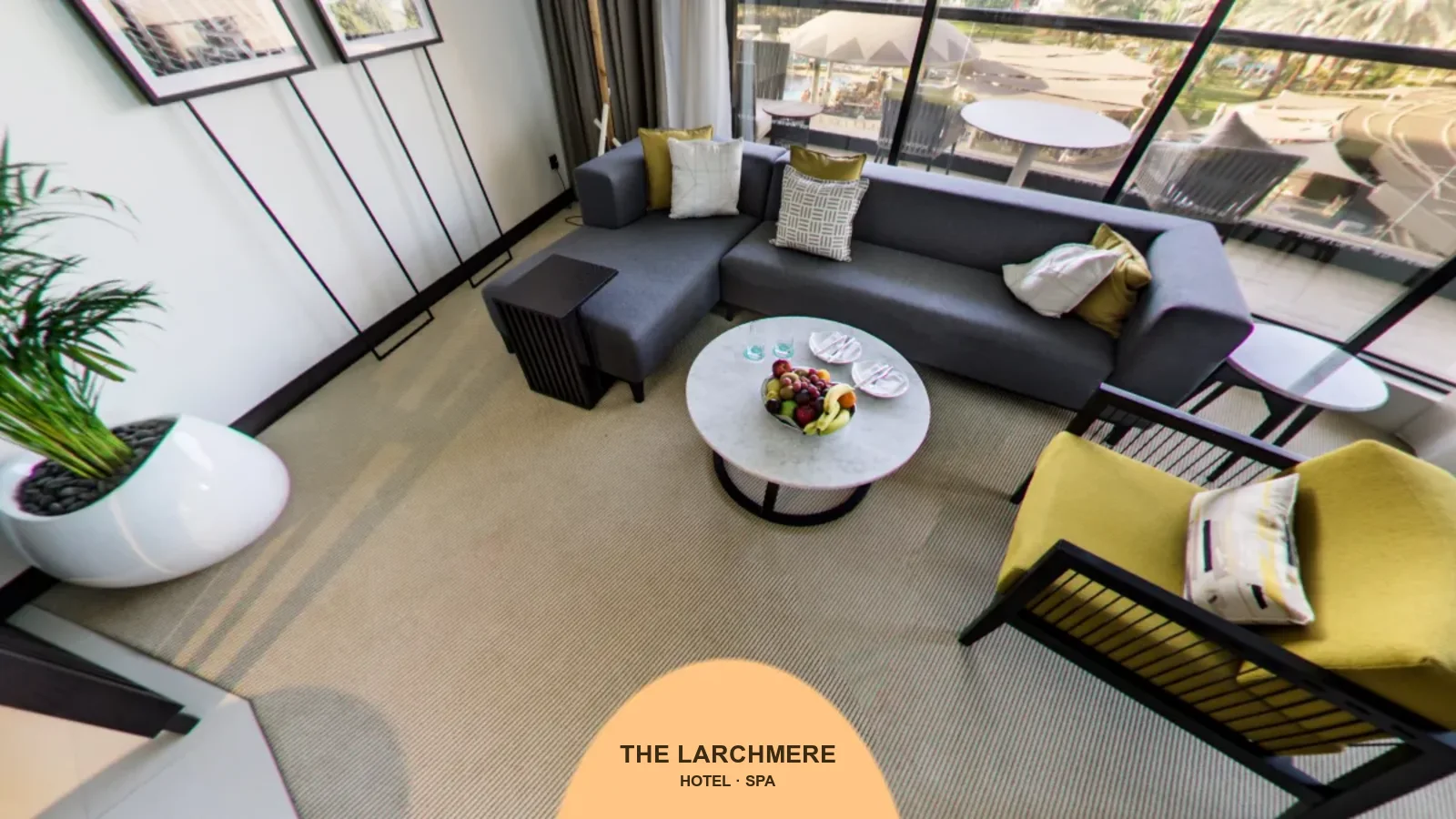
- The tripod patch: each tour can carry its own logo and words on the round patch over the tripod, with its own colours, as in the picture above. Put your studio's logo on your portfolio tours and each client's on theirs (add your own branding).
- The design: colours, menus, buttons and the look of every hotspot, in any theme. Save it under My Designs and apply it to the next tour in one click, or keep one saved design per client (themes and My Designs).
- On their website: the client embeds the tour with one code, and it plays inside their own page.
Host every client on one plan
On Panoramr's Pro plan (£99 a year) you host up to 250 360° photos at once with your own branding, shared by all your clients' tours. A 30-photo hotel and a 10-photo restaurant use 40 of them. You put a tour into your plan's hosting with one tick on its Publish tab, and take a finished job out to make room for the next (keep hosting for a client).
Your yearly hosting fee per client should cover your share of the plan, your time and a margin. A plan that hosts a dozen clients' tours costs each of them very little.
Or hand the tour over
Some clients would rather own their tour and pay for it themselves. Hand it over: the client takes the tour into their own account with a Vault, which hosts it with your design and branding for a set number of years, and it no longer uses your plan. Sell the shoot and the build; the hosting is between the client and Panoramr. You can still offer updates as paid work.
Work with the client while you build
- Keep it private while you work, and invite the client to look at it, or to edit their own notes, with a role that allows only that.
- Publish when they approve: by its link for the client to share, listed on Explore for your portfolio, or kept off Explore entirely.
- Send the numbers. Each tour counts its unique visitors; a short monthly or quarterly note with them shows the client the tour is working, and makes the renewal easy.
Get the next client
Every finished tour is your portfolio. Keep your best ones listed, put your own logo on your demo tours, and list yourself in Panoramr's Hire a Creator directory so businesses near you can find you (getting found).
Questions
What is a white-label virtual tour?
A tour that shows your brand or your client's instead of the tour software's: their logo, their colours and no other company's name. In Panoramr, a tour in a plan's hosting or a Vault shows your own branding instead of Panoramr's.
How much should I charge to host a client's virtual tour?
Enough to cover your share of the hosting plan, your time for small changes and reports, and a margin, charged yearly. Put it on the same quote as the shoot so the client expects it.
Can each client's tour have their own logo?
Yes. In Panoramr each hosted tour can carry its own logo and words on the tripod patch, with its own colours, and its own saved design.
Can my client own the tour instead of me hosting it?
Yes. Hand it over: the client takes it into their own account with a Vault and pays for the hosting themselves, and it leaves your plan.
Can the tour show on my client's own website?
Yes. Embed it with one code and it plays inside their page, under their web address.